Showing posts with label xtool x100 pad3 infiniti. Show all posts

Sunday, 22 November 2020

Infiniti M45 Key Programming via XTOOL X100 PAD3 in 4 Mins

Today I’m going to try to program a key for the 2006 Infiniti M45 via XTOOL X100 PAD3 key programmer. I will use a pre-owned existing key to the program.

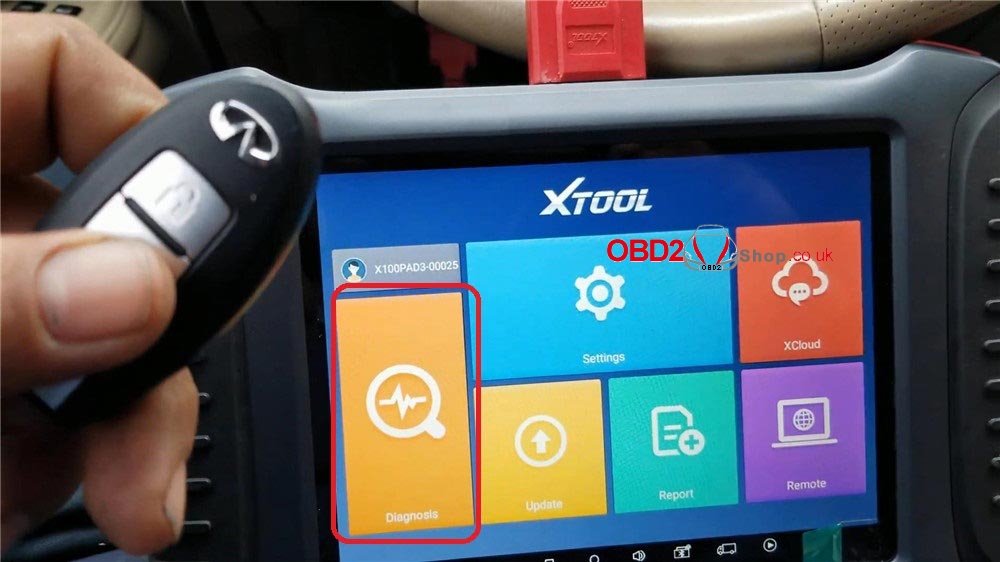
Connect XTOOL X100 PAD3 to the OBD2 port of Infiniti, then let’s start:

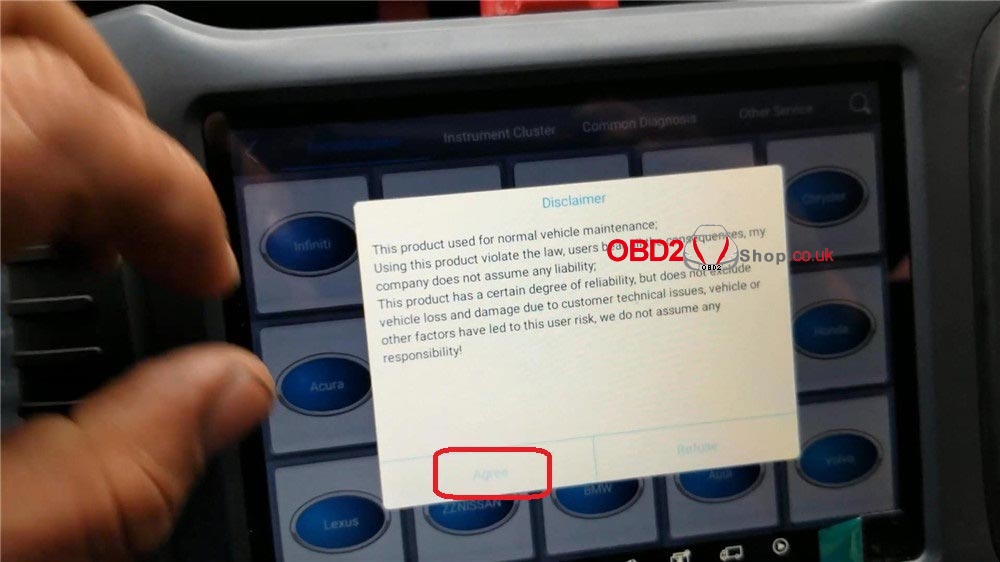
Diagnosis >> Infiniti >> Agree >> Read bcm code and release steering lock(4 pincode) >> Read BCM code >> OK
infiniti-m45-key-program-via-xtool-x100-pad3-in-4-mins-1

infiniti-m45-key-program-via-xtool-x100-pad3-in-4-mins-2

infiniti-m45-key-program-via-xtool-x100-pad3-in-4-mins-3

infiniti-m45-key-program-via-xtool-x100-pad3-in-4-mins-4

infiniti-m45-key-program-via-xtool-x100-pad3-in-4-mins-5

infiniti-m45-key-program-via-xtool-x100-pad3-in-4-mins-6

Release steering lock >> OK >> Switch ignition off, press “OK”>> Input pincode >> Success, press “OK”

infiniti-m45-key-program-via-xtool-x100-pad3-in-4-mins-7

infiniti-m45-key-program-via-xtool-x100-pad3-in-4-mins-8

infiniti-m45-key-program-via-xtool-x100-pad3-in-4-mins-9

infiniti-m45-key-program-via-xtool-x100-pad3-in-4-mins-10

Go back to previous menu, press “Program keys”>> Select from type >> Immobiliser system >> 4 pincode >> Type 1(KWP)

infiniti-m45-key-program-via-xtool-x100-pad3-in-4-mins-11

infiniti-m45-key-program-via-xtool-x100-pad3-in-4-mins-12

infiniti-m45-key-program-via-xtool-x100-pad3-in-4-mins-13

infiniti-m45-key-program-via-xtool-x100-pad3-in-4-mins-14

Insert the key and switch ignition on, press “OK”>> Program keys >> OK >> Input pincode, press “OK”

infiniti-m45-key-program-via-xtool-x100-pad3-in-4-mins-15

infiniti-m45-key-program-via-xtool-x100-pad3-in-4-mins-16

infiniti-m45-key-program-via-xtool-x100-pad3-in-4-mins-17

infiniti-m45-key-program-via-xtool-x100-pad3-in-4-mins-18

Follow the prompts, press “OK”

1. Switch ignition off and remove key;

2. Inset the first key and switch on for 5 sec, then switch the ignition off and remove key;

3. If you want to add more keys, please repeat procedure 2, complete.

Okay, let me test the new key, it can work normally, programming is successful.

infiniti-m45-key-program-via-xtool-x100-pad3-in-4-mins-19

infiniti-m45-key-program-via-xtool-x100-pad3-in-4-mins-20

This is a 2006 Infiniti M45 key programming demonstration using XTOOL X100 PAD3. It is quite easy and fast to be done in 4 minutes.

http://blog.obd2shop.co.uk/infiniti-m45-key-programming-via-xtool-x100-pad3-in-4-mins/

EoneBoss ET Series 4A Bluetooth Smart Keys – New Product Launch

EoneBoss has officially launched its new ET Series 4A Bluetooth Smart Keys, designed for vehicles using 4A (AA, BA) key chips. The new ET Se...